
How to connect a car battery charger
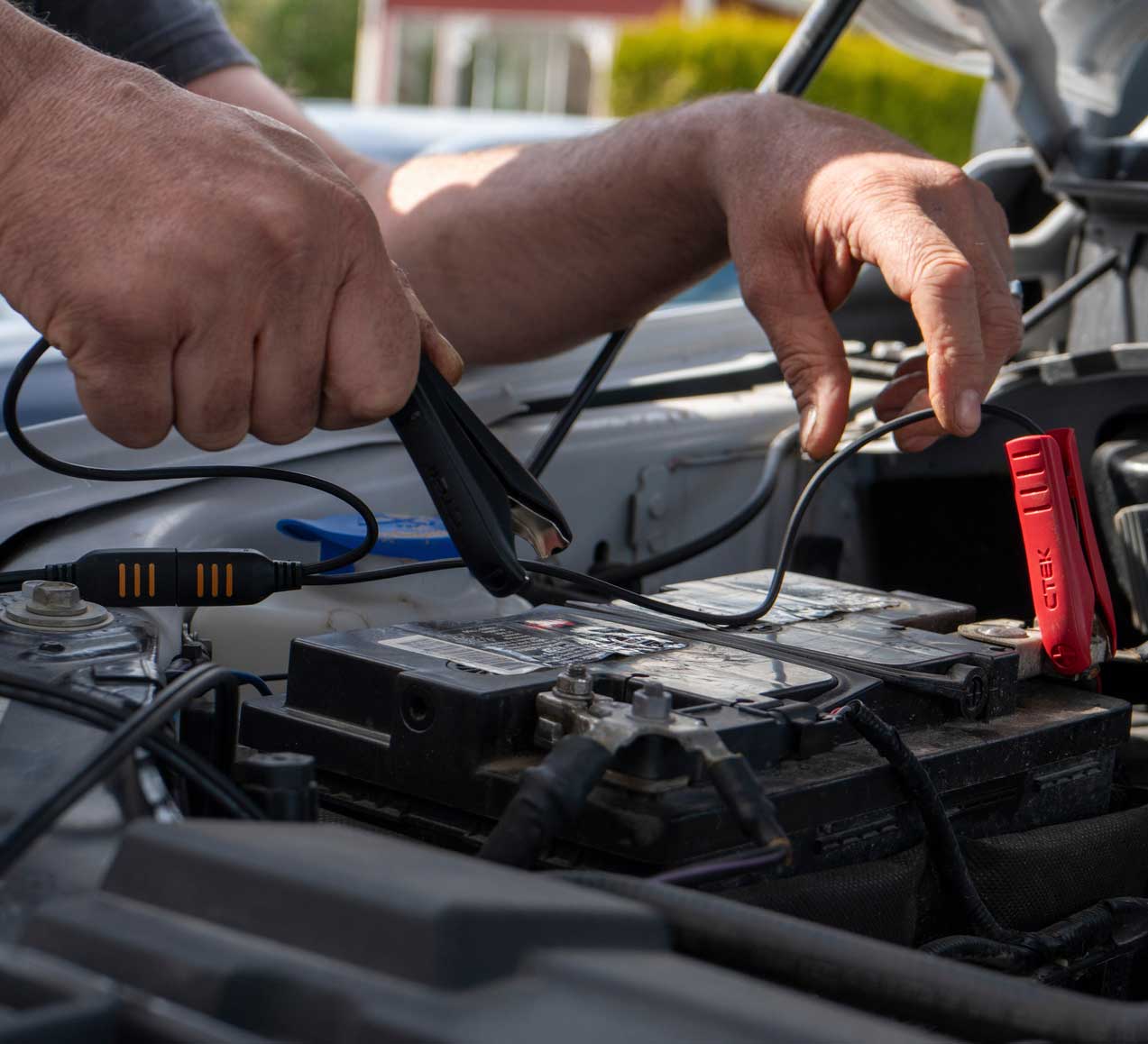
A comprehensive guide with step-by-step instructions and expert tips for safe and effective charging
A flat or weakened battery is one of the most common reasons for motoring misery, but with a high-quality charger such as those from CTEK you can keep your battery optimally charged and extend its life significantly.
This guide will walk you through the correct procedure for connecting and using a car battery charger, giving you the power to maintain your vehicle with confidence.
Preparation: safety first
Before connecting your charger, ensure you observe all safety precautions:
- Check the battery for obvious damage or leaks. If present, replace the battery.
- Read the vehicle and charger manuals for any specific instructions or warnings.
Step 1: preparing for connection
- Switch off the vehicle.
- Locate your battery – it’s usually under the bonnet, but not always.
- Ensure the battery terminals are clean; remove corrosion with a wire brush if necessary.
- Check if your battery is lithium or lead acid to determine if your charger is compatible. If you are using CTEK’s CS ONE charger, you don’t need to know as the charger does that task for you.
Step 2: connecting the charger
- Identify the charger’s clamps: red is positive (+), black is negative (-).
- Attach the red (positive) clamp to the positive battery terminal. It’s usually marked with a ‘+’ sign or is coloured red.
- CTEK recommends you attach the black (negative) clamp to an unpainted metal part of the car chassis away from the battery – this makes sure the car’s battery management system recognises that charging is taking place. If that is not possible, attach the negative clamp to the negative battery terminal.
Step 3: plug in and select charging mode
- With both clamps securely attached, plug the charger into a mains power outlet.
- Switch the charger on. If you are using a CTEK charger, it will automatically switch on.
- Select, if you have to, the appropriate charging mode for your battery type. Consult your charger’s manual for details.
- The charger may automatically analyse the battery and will begin the charging process.
- Usually, indicator lights will show the charging stage and alert you to any issues.
Step 4: monitoring the charging process
- Check the charger’s indicator lights for progress.
- Charging times vary: a deeply discharged battery may take several hours, while a maintenance/top-up charge may finish in less than an hour.
- CTEK models will automatically switch to maintenance mode when the battery is fully charged, preventing overcharging.
Step 5: disconnecting the charger
- Once charging is complete (as indicated by the charger lights or display):
- Switch off and unplug the charger from the mains.
- Remove the black (negative) clamp first, then the red (positive) clamp.
- Check the battery terminals again to ensure they are clean and tight.
Additional tips: if you are using a CTEK charger
- CTEK chargers can be left connected for long periods in maintenance mode – ideal for winter storage.
- For batteries under bonnet covers or in difficult locations, consider using CTEK’s comfort connectors, which allow for permanent and easily accessible connection points.
- Many CTEK chargers can also recondition batteries with special modes – use this function if your battery experiences repeated deep discharges.
- Check your battery regularly, especially in cold climates or if your vehicle is used infrequently.
Troubleshooting common issues
- Battery not charging: double-check all connections and ensure the charger is set to the correct mode. If the battery is old or damaged, replacement may be necessary.
- Sparking during connection: Disconnect immediately. Ensure the charger is off before reattaching clamps and always attach the negative clamp to the chassis if possible. It’s good to know that all CTEK chargers are spark-free.
- Charger error lights: consult the charger’s manual – errors may indicate reversed polarity, a faulty battery or an interrupted power supply.
- Battery not holding charge: this is often a sign of battery ageing; consider professional testing or replacement.
Conclusion
Maintaining your car battery is an investment in reliability and longevity. With intuitive design and advanced technology, CTEK chargers make the process safe and straightforward.
CTEK chargers are renowned for their smart charging technology, user-friendly design, and safety features. They automatically adjust the charging rate depending on the battery’s needs, provide diagnostic feedback and offer protection against sparking and incorrect polarity.
CTEK’s CS ONE battery charger even has polarity-free clamps, so you can never connect it the wrong way when charging.
By following these steps – preparing your battery, connecting the charger correctly, monitoring progress, and disconnecting safely – you'll ensure your battery remains healthy, ready to power your vehicle whenever you need it.